 Audio (120) Audio (120)
Datatype (16)
Demo (65)
Development (264)
Document (70)
Driver (20)
Emulation (71)
Game (606)
Graphics (238)
Library (23)
Network (74)
Office (23)
Utility (318)
Video (20)
Total files: 1928
Full index file
Recent index file
Part of Aros World Exec |
Annotate | | Description: | Programmer's Text Editor, adv. features | | Download: | annotate.i386-aros.lha (TIPS: Use the right click menu if your browser takes you back here all the time) | | Size: | 1Mb | | Version: | 3.1.1 | | Date: | 21 Nov 25 | | Author: | Doug Bakewell / Daniel Westerberg | | Submitter: | amiwell79 | | Email: | planeteu email/gmail com | | Homepage: | http://www.onyxsoft.se/ | | Requirements: | Aros i386 Abiv0 | | Category: | utility/text/edit | | Replaces: | utility/text/edit/annotate.i386-aros.lha | | License: | GPL | | Distribute: | yes | | FileID: | 3166 | | | | Snapshots:
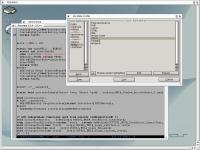 | |
| | Comments: | 0 | | Snapshots: | 1 | | Videos: | 0 | | Downloads: | 60 (Current version) | | 422 (Accumulated) | | Votes: | 0 (0/0) (30 days/7 days) | |
[Show comments] [Show snapshots] [Show videos] [Show content] [Replace file] Annotate
~~~~~~~~
A comprehensive text editor written for AmigaOS 2.0 and up, ported to AmigaOS
4.0,
backported to AmigaOS 3 and sideported to MorphOS and AROS. :-)
Features
~~~~~~~~
- Syntax Highlightning with links to autodocs,
- Multi-unit clipboard support,
- Multi-file search.
- Unlimited Undo/Redo,
- Macros,
- Vertical block selection,
- Can use screens.
- Side-shifting of text and rectangular blocks,
- Multi-functional scroll bar,
- A lot of different ways to cut, copy and paste,
- Printing,
- Folding,
- Text locking,
- User editable menus and hotkey,
- and a full-featured Arexx Port for external scripting support.
Author: Doug Bakewell
Maintainer and successor: Daniel Westerberg
Annotate has been released under the GNU GPL by request of the original
author Doug Bakewell. See separate GPL.txt. The source is in a separate
archive.
Installation
~~~~~~~~~~~~
Nothing special, except that you can copy the file "AnnotateSyntax.xml"
to ENVARC: to make it global.
News and Changes
~~~~~~~~~~~~~~~~
* FIX * Fix the crash bug in the AmigaOS 3 68k version. The bug depended on the
font size, which is why I never noticed it when developing this code.
* FIX * Version string was wrong in the auto-update system, so it never detected
new versions automatically.
* FIX * Simpler error message when the syntax definition cannot find the
autodocs
it tries to load.
v3.1
~~~~
** Multi-file searching, Visual Studio cycle-through-style.
When all text has been found in one window, it will continue to search
the next windows and then hidden editors. This makes it much easier
to find the definition of a function, or usages of a variable in
your entire project.
It is suggested to create a project and add all files as hidden
editors for this to work the best.
** Multi-highlight of selection. "Show all occurences".
** Many stability improvements around closing and reopening editors.
** Other stability around copy'n'paste, undo
** Anti-alias text rendering on OS3 on hi/true-color screens.
** Syntax: Major rework on the syntax definition system to make it much easier
and faster to create syntax definitions, and they are read faster.
** Syntax: Grouping of tokens using <TokenCollection> and <TokenSet>.
** Syntax: A <TokenCollection> can read audodocs to apply syntax for
library calls in one line. A <TokenCollection> can be used by several
syntax definitions by using <TokenSet tokencollection="name_of_collection">
in a languge.
** Syntax: Set RGB colors for all platforms using rgb and bgrgb parameters
with pen and bgpen as fallback for non hi/true-color screens.
rgb and bgrgb can be a hex value like "$402050", or a name like "darkblue".
** Syntax: CSS-like setting of color and style for syntax definitions in one
place using <Style>, then apply that style to your <Token> or <TokenSet>.
** Syntax: Massive speedup of syntax highlighted text rendering.
Even with 4 full libraries (dos, exec, intution, graphics) loaded it
renders fast.
** Pressing Help with the cursor over a library function
can now bring up the audodocs for that function.
** Matching was wrong when to the far left on a line.
** Did not default to Untitled when opening the first file.
** Change font size caused refresh issue with info bar.
Future
~~~~~~
* Some other kind of minimize/iconify function, connected to AmiDock or
something perhaps.
* Enhance some more graphics.
--
Other programs by Deniil 715! can be found on OnyxSoft homepage at:
http://www.onyxsoft.se/
Feel free to mail me if you found bugs or have suggestions:
daniel / onyxsoft se
NOTE: Please, NEVER publish my e-mail, or a text file containing my
e-mail, on a web page or similar unless spam-encrypted like this:
daniel / onyxsoft se
Note on issues with syntax highlight
~~~~~~~~~~~~~~~~~~~~~~~~~
Start annotate and go directly into Config and disable Syntax->Use syntax
highlighting. Press Save. Now it should work stable, but of course without
syntax highlighting then...
Or you can edit the Annotate.xml file which can be in ENVARC: or in the current
dir if you have saved the config from before, and change the UseSyntax element
from 1 to 0.
|
